Advertisement
If you’ve been trying to manage workflows in Hadoop and find yourself constantly stitching scripts and jobs together like a patchwork quilt, then Oozie might be exactly what you didn’t know you needed. It’s not flashy, not loud—but it does its job well. Apache Oozie doesn’t ask for attention. Instead, it expects you to get it, set it up right, and let it run like clockwork.
This isn’t a tool that holds your hand. But once you learn its rhythm, it fits in like it was always meant to be part of the system. Let’s break it down the way it was meant to be understood—clearly, practically, and without getting too caught up in the jargon.
Oozie is a workflow scheduler system for Hadoop. Think of it as an orchestra conductor who knows when to cue in MapReduce, Pig, Hive, or shell scripts so everything plays in sync. It doesn't replace these technologies—it coordinates them.
Each “workflow” in Oozie is a collection of jobs arranged in a Directed Acyclic Graph (DAG). That simply means your processes have a logical order, and nothing loops back to cause chaos. There’s also support for decision branches and forks. So if you want jobs A and B to run after job X finishes—and only then proceed to job C—you can do that. In short, Oozie helps you define what happens, when it happens, and under what conditions. All in XML. Yes, XML. Not everyone’s favorite, but it gets the job done.
Oozie isn't a single block of monolithic magic. It's made up of different parts that come together like pieces of a puzzle. If you’re serious about using it, you need to know what these are.
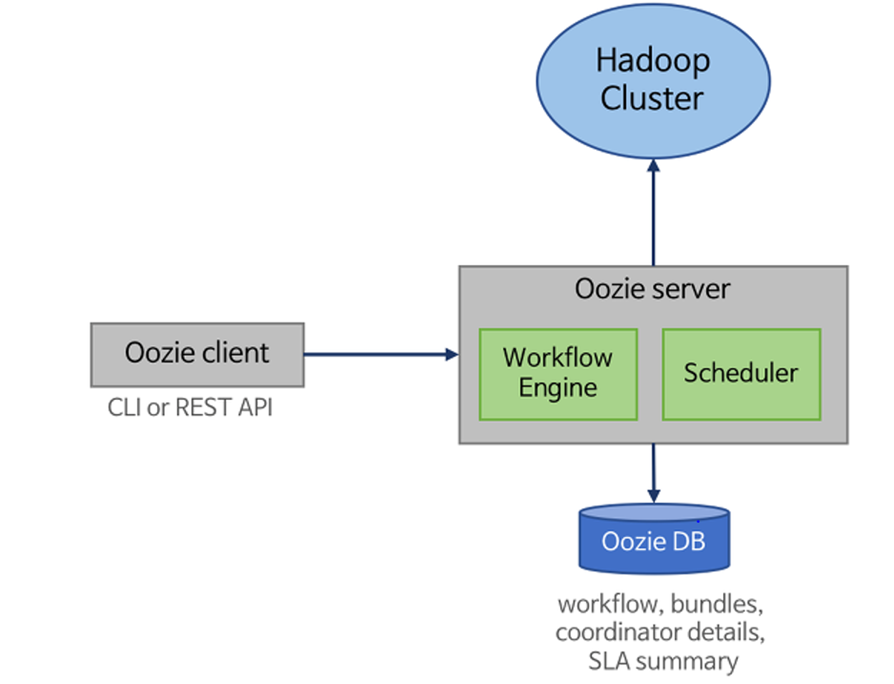
At its core, Oozie runs workflows. These workflows define a sequence of actions. Each action is something like a MapReduce job, Pig script, Hive query, or even a shell command. These actions are stitched together using control nodes like start, end, decision, fork, and join.
What makes this useful is how you can handle dependencies. You don’t have to worry about one job finishing before another—you just define the chain, and Oozie enforces it.
This is where things start getting time-based. Suppose you want your workflow to trigger every day at 8 AM or run every time a specific data file shows up in HDFS. Coordinators let you do that.
You define what triggers the workflow, how often it should check, and under what conditions it runs. If a file isn’t available, it waits. If the clock hasn’t hit yet, it pauses. This keeps your data pipelines tidy and time-aware.
Now, what if you have several coordinators and you want to manage them together—maybe roll them out as a unit? That’s what bundles are for. A bundle is a collection of coordinator jobs. You define them in one place and trigger them together.
It’s not complex. It just reduces clutter when your project grows beyond one or two simple chains.
This is the brain. You deploy it on a node in your Hadoop cluster. It receives workflow definitions, schedules them, and keeps track of execution. It’s REST-based, so you can interact with it through HTTP calls, which makes automation a breeze.
Once you’ve got your Hadoop cluster humming, bringing Oozie into the mix follows a clear structure. No guesswork—just steps.
Start by installing Oozie on a node in your cluster. Most people install it on the same node as the ResourceManager or another master node. Make sure Java and Hadoop are configured correctly.
Then configure oozie-site.xml with key values:
Deploy the Oozie WAR file to Tomcat or Jetty—whichever servlet container you use. Also, set up a shared library in HDFS, typically under /user/oozie/share/lib/. This holds all the libraries your actions might need.
Yes, this is where XML comes into play. You'll need to define your actions in an XML file that describes your workflow.
A very simple one might look like this:
Variables like ${inputDir} are pulled from a separate properties file, which keeps your workflows reusable.
Create a directory in HDFS and upload your XML, shell scripts, and property files.
Then use the Oozie command-line interface:
oozie job -oozie http://[oozie-server]:11000/oozie -config job.properties -run
That’s it. Once submitted, Oozie tracks execution and handles retries, failures, and transitions.
You can check logs, job status, and details via the Oozie web UI or by running:
oozie job -oozie http://[oozie-server]:11000/oozie -info [job-id]
In case something breaks—and it probably will—Oozie logs are fairly readable. Trace the node that failed, check its logs, and fix the property, file, or script causing trouble.
You’ll find Oozie most helpful in production-grade systems. Here’s how it gets used in practice:
Data Ingestion Pipelines: Schedule workflows that pull data from multiple sources and land them into HDFS.
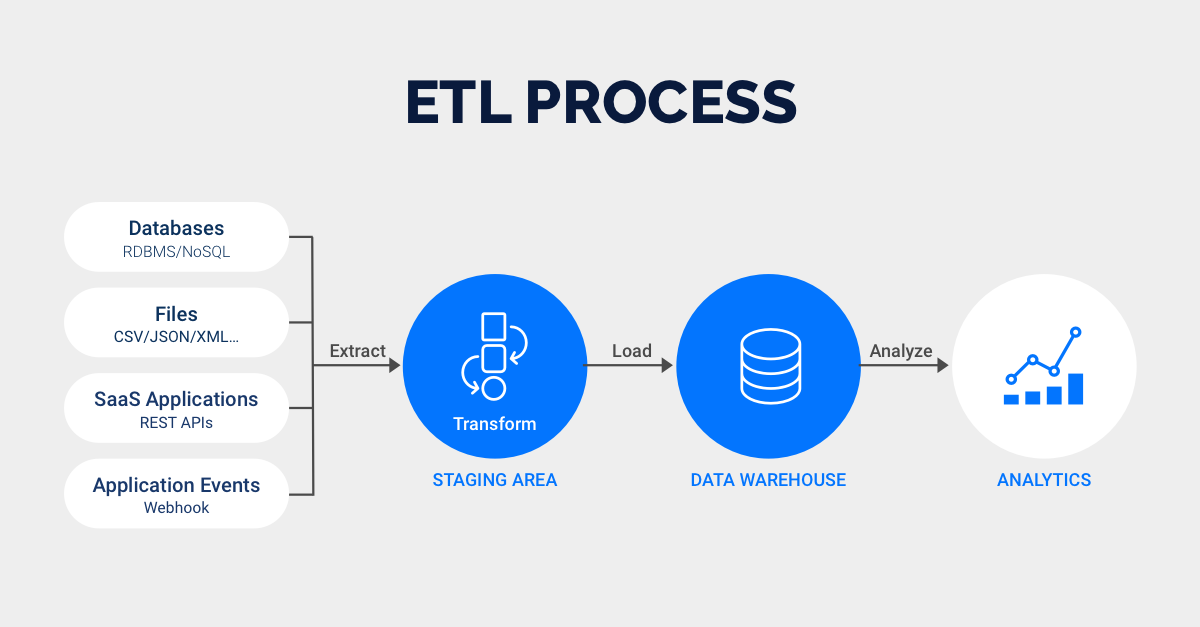
ETL Automation: Combine Hive queries, Pig scripts, and shell actions to build complex data processing jobs.
Daily Reports: Run batch jobs every morning that process logs and generate usage reports.
File-Based Triggers: Watch for data availability and only start when the required file is present.
The beauty is that you don't need to chain everything manually anymore. Once you’ve defined the logic, Oozie takes over and keeps things on schedule.
Apache Oozie isn’t the kind of tool you play with casually. But if you’re working with Hadoop and need serious workflow scheduling, it’s solid. It’s not trying to impress with shiny dashboards or flashy syntax. It sticks to doing what it’s meant to do—run your jobs in order, on time, with minimal fuss.
You write the XML, define the logic, and Oozie does the rest. No drama. Just results. If you're ready to move past writing bash scripts at midnight to manage your data flows, give Oozie the time it deserves. It might be your quietest team member, but one you'll rely on the most.
Advertisement

Thinking of moving to the cloud? Discover seven clear reasons why businesses are choosing Google Cloud Platform—from seamless scaling and strong security to smarter collaboration and cost control

Confused about the difference between a data lake and a data warehouse? Discover how they compare, where each shines, and how to choose the right one for your team
New to YARN? Learn how YARN manages resources in Hadoop clusters, improves performance, and keeps big data jobs running smoothly—even on a local setup. Ideal for beginners and data engineers
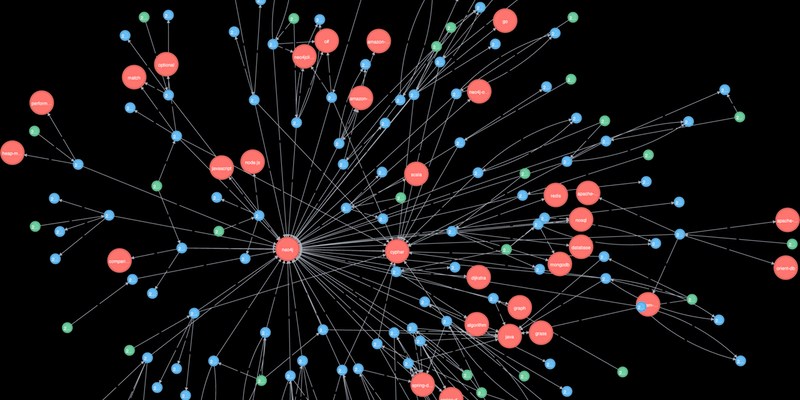
Explore how Neo4j uses graph structures to efficiently model relationships in social networks, fraud detection, recommendation systems, and IT operations—plus a practical setup guide

A detailed look at training CodeParrot from scratch, including dataset selection, model architecture, and its role as a Python-focused code generation model

Learn how to build scalable systems using Apache Airflow—from setting up environments and writing DAGs to adding alerts, monitoring pipelines, and avoiding reliability pitfalls

Looking for practical data science tools? Explore ten standout GitHub repositories—from algorithms and frameworks to real-world projects—that help you build, learn, and grow faster in ML
How fine-tuning CLIP with satellite data improves its performance in interpreting remote sensing images and captions for tasks like land use mapping and disaster monitoring

Confused about MLOps? Learn how MLflow makes machine learning deployment, versioning, and collaboration easier with real-world workflows for tracking, packaging, and serving models

Curious about how to start your first machine learning project? This beginner-friendly guide walks you through choosing a topic, preparing data, selecting a model, and testing your results in plain language
Explore how data quality impacts machine learning outcomes. Learn to assess accuracy, consistency, completeness, and timeliness—and why clean data leads to better, more stable models

Curious why developers are switching from Solidity to Vyper? Learn how Vyper simplifies smart contract development by focusing on safety, predictability, and auditability—plus how to set it up locally