Advertisement
You’re knee-deep in SQL code, trying to break down a large query into something that actually makes sense. Maybe you’ve copied and pasted the same subquery more than once. Maybe it’s buried in parentheses, hard to follow. That’s where a Common Table Expression — or CTE — steps in. It’s one of those features in SQL that doesn’t just make your life easier; it makes your code readable, reusable, and, above all, maintainable.
Without any further ado, let's walk through what a CTE really is and why developers keep reaching for it, especially when queries get long, logic gets messy, or performance starts to matter.
A Common Table Expression is like a temporary result set — one that you can reference within a SELECT, INSERT, UPDATE, or DELETE statement. Think of it as giving a nickname to a subquery, except this nickname is easier to call, doesn’t clutter your main query, and can be used more than once.
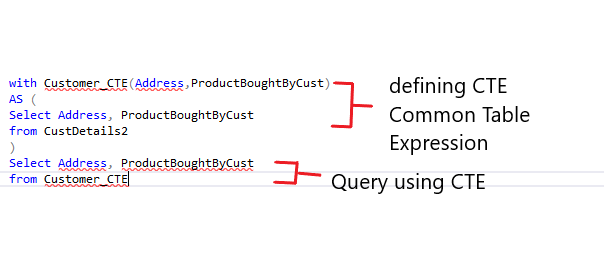
It starts with a WITH clause. You define the expression, give it a name, and from there, just treat it like a table.
Here’s a quick look:
sql
CopyEdit
WITH EmployeeSales AS (
SELECT EmployeeID, SUM(SalesAmount) AS TotalSales
FROM Sales
GROUP BY EmployeeID
)
SELECT * FROM EmployeeSales
WHERE TotalSales > 50000;
Instead of stuffing that aggregation logic directly into the WHERE clause or duplicating it, you let the CTE handle it. Short. Clear. You can breathe.
You could argue that CTEs and subqueries solve the same problems. And sometimes, yes — they can. But CTEs do a few things better, and once you get used to them, it’s hard to go back.
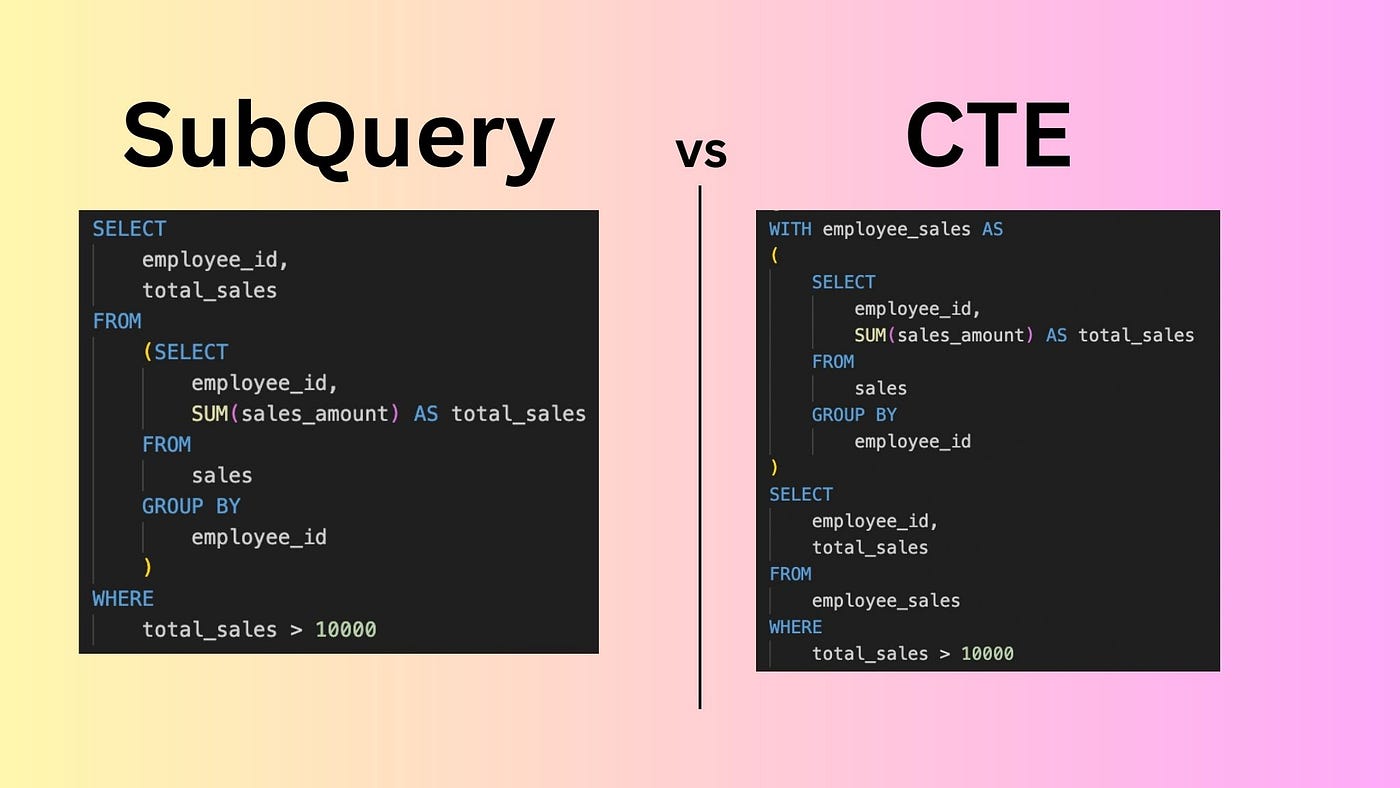
Nested subqueries tend to go off the rails when you’re three levels deep. It’s like solving a riddle inside a puzzle inside an enigma. A CTE pulls that logic out front. You see the setup right at the top — no scrolling or deciphering parentheses.
Here’s something subqueries can’t do well: repeat themselves. If you need to use the same derived set multiple times, you'd have to duplicate that entire subquery. With a CTE, you define it once and reuse it — no extra cost in readability.
This one’s big. CTEs allow recursion, which is a game-changer for hierarchical data. Whether you’re climbing an org chart or breaking down categories and subcategories, a recursive CTE lets you walk through those levels with just one query.
If you've never written one before, it can feel a bit abstract. But once you’ve written it once, it clicks. Here's how to break it down.
You begin with WITH, followed by the name you’re giving your temporary result. This name should follow the same naming rules as any other table or alias.
sql
CopyEdit
WITH DepartmentCount AS (
SELECT DepartmentID, COUNT(*) AS EmployeeCount
FROM Employees
GROUP BY DepartmentID
)
That’s your setup. Nothing will run until you call this in a query.
Now that you’ve defined DepartmentCount, you can call it directly in your main query.
sql
CopyEdit
SELECT d.DepartmentName, dc.EmployeeCount
FROM DepartmentCount dc
JOIN Departments d ON dc.DepartmentID = d.DepartmentID;
The DepartmentCount CTE is treated just like any table — no special syntax required.
Yes, you can have more than one. Just separate them with commas.
sql
CopyEdit
WITH
DepartmentCount AS (
SELECT DepartmentID, COUNT(*) AS EmployeeCount
FROM Employees
GROUP BY DepartmentID
),
HighHeadcount AS (
SELECT DepartmentID
FROM DepartmentCount
WHERE EmployeeCount > 10
)
SELECT d.DepartmentName
FROM HighHeadcount h
JOIN Departments d ON h.DepartmentID = d.DepartmentID;
You define both CTEs upfront, and each can reference the one above it. No re-nesting required. This is how you untangle logic without breaking it apart.
Recursive CTEs handle scenarios where you need to walk through parent-child relationships. These are rare in everyday work, but invaluable when you need them.
sql
CopyEdit
WITH OrgChart AS (
SELECT EmployeeID, ManagerID, 0 AS Level
FROM Employees
WHERE ManagerID IS NULL
UNION ALL
SELECT e.EmployeeID, e.ManagerID, oc.Level + 1
FROM Employees e
JOIN OrgChart oc ON e.ManagerID = oc.EmployeeID
)
SELECT * FROM OrgChart;
This query starts with top-level employees and keeps pulling in their direct reports until it reaches the bottom. The recursive logic keeps stacking rows until no more children are found.
A CTE isn’t stored. It lives during the execution of the statement and vanishes right after. So, if you think of creating something permanent for reuse across multiple queries, that’s where views or temp tables come in.
Also, it's worth noting that a CTE isn't always the most efficient choice. If you need to reuse logic in different queries or across sessions, the better move might be to save the logic in a view or procedure. But for single-use readability? The CTE wins, hands down.
CTEs don’t just clean up your code — they change how you think through it. By lifting logic out of deep subqueries, giving it a name, and letting you write in steps, they bring structure to SQL that’s easier to write, easier to test, and easier to debug.
They encourage modular thinking, which helps you spot inefficiencies sooner. And if you're working with a team, they make your queries far easier for others to follow. Next time your query looks like a jungle of joins and filters, try rewriting it with a CTE. You’ll see where the complexity lives, isolate it, and keep your core query focused. Once you get used to it, you’ll wonder how you ever wrote SQL without it.
Advertisement

Learn how Apache Oozie coordinates Hadoop jobs with XML workflows, time-based triggers, and clean orchestration. Ideal for production-ready data pipelines and complex ETL chains

How do we keep digital research accessible and citable over time? Learn how assigning DOIs to datasets and models supports transparency, reproducibility, and proper credit in modern research

Curious why developers are switching from Solidity to Vyper? Learn how Vyper simplifies smart contract development by focusing on safety, predictability, and auditability—plus how to set it up locally
How Q-learning works in real environments, from action selection to convergence. Understand the key elements that shape Q-learning and its role in reinforcement learning tasks

How Stable Diffusion in JAX improves speed, scalability, and reproducibility. Learn how it compares to PyTorch and why Flax diffusion models are gaining traction
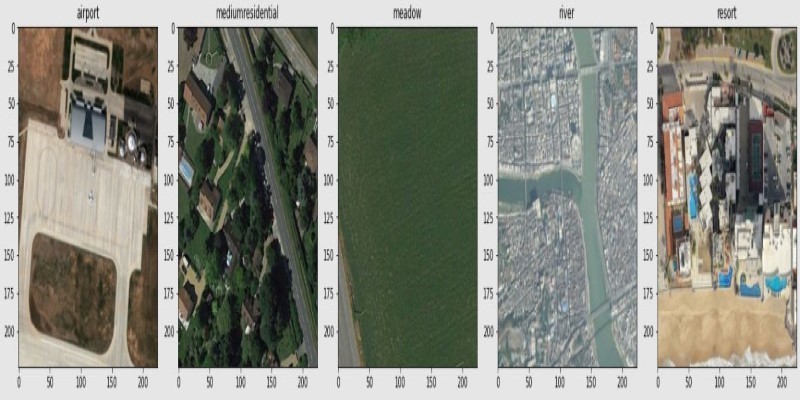
How fine-tuning CLIP with satellite data improves its performance in interpreting remote sensing images and captions for tasks like land use mapping and disaster monitoring

Is your team using AI tools you don’t know about? Shadow AI is growing inside companies fast—learn how to manage it without stifling innovation or exposing your data

Explore how Google Cloud Platform (GCP) powers scalable, efficient, and secure applications in 2025. Learn why developers choose GCP for data analytics, app development, and cloud infrastructure

How the Annotated Diffusion Model transforms the image generation process with transparency and precision. Learn how this AI technique reveals each step of creation in clear, annotated detail

A detailed look at training CodeParrot from scratch, including dataset selection, model architecture, and its role as a Python-focused code generation model

How to convert transformers to ONNX with Hugging Face Optimum to speed up inference, reduce memory usage, and make your models easier to deploy across platforms

Curious about how to start your first machine learning project? This beginner-friendly guide walks you through choosing a topic, preparing data, selecting a model, and testing your results in plain language